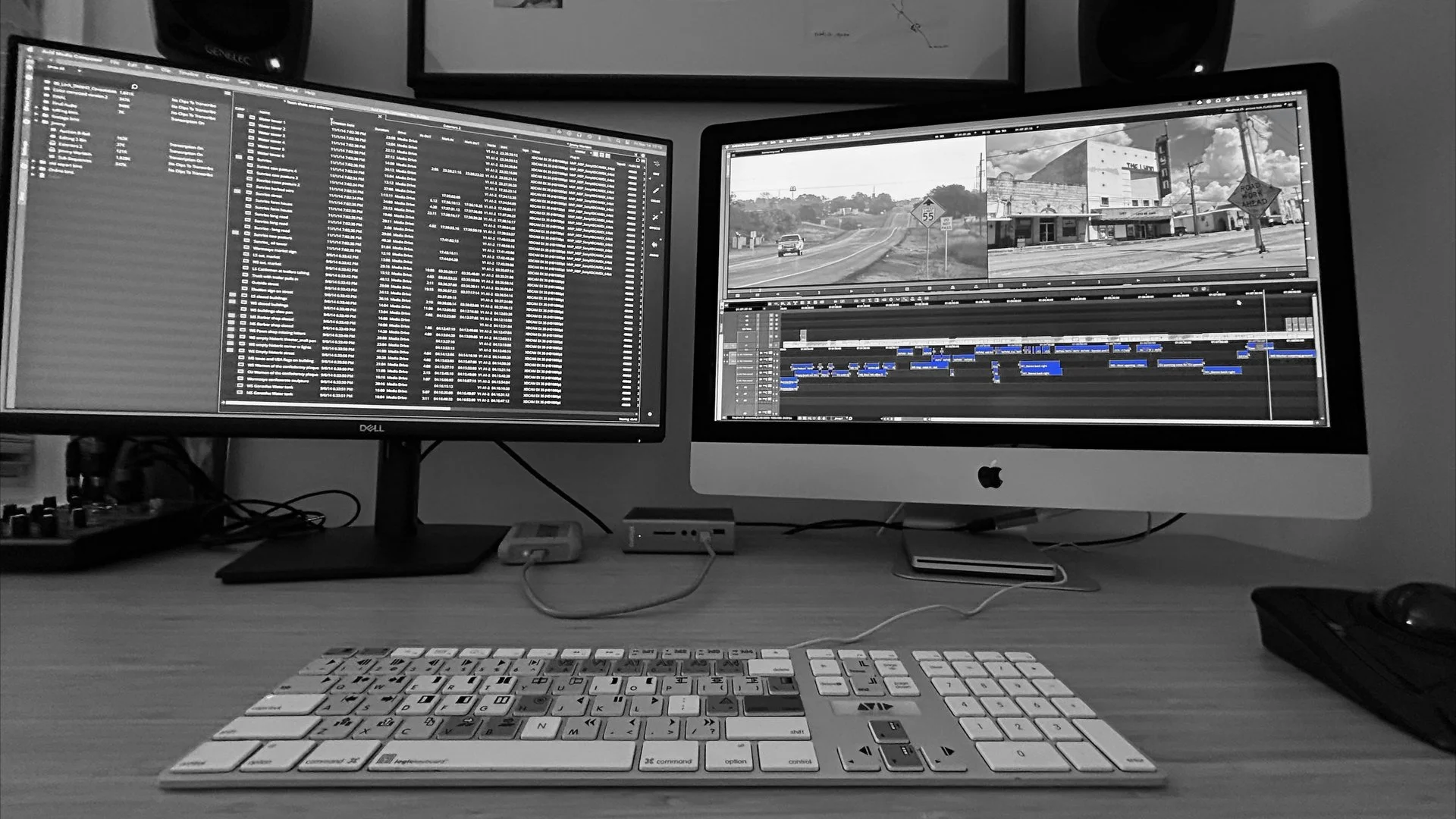
Learn the Art & Craft of Film Editing
The Brooklyn Edit Suite offers a range of courses designed for aspiring editors, filmmakers, and post-production professionals looking to sharpen their skills. Whether you're just starting out or ready to take your editing to the next level, our hands-on, real-world training prepares you for success working in the film industry.
-
Dive into the industry-standard editing software with The Brooklyn Edit Suite’s Avid Media Composer foundational course. On Day 1 we will demystify this unique software, guiding you in setting up a project, managing media and organizing bins, all while we explore Avid’s distinct interface and proprietary file types. You will jump into editing, learning Avid’s fundamental tools and techniques as you work toward completing a short video, using professionally filmed footage, that can be used for your website or reel.
Hands-on editing lessons will be viewed through the lens of film theory – we will study essential editing theories and follow inquiries into why these theories work and how to apply them to your edits. By exploring the principles of editing we will bring the technical aspects of the software to life!
By the end of this course, you will:
Have a firm grasp of Avid’s fundamental components and tools.
Be able to apply basic film editing theories to any footage you edit.
Make editorial choices with confidence and technical ease.
Who This Course Is For:
Beginner editors looking to gain proficiency in Avid Media Composer.
Editors transitioning from other software like Adobe Premiere Pro or Final Cut Pro.
Filmmakers and content creators who want to elevate their post-production skills.
-
Take your Avid editing skills to the next level with the Brooklyn Edit Suite’s Avid Media Composer 102 course. This course picks up where Avid 101 left off, expanding your editing tool kit, both technically and creatively.
Using provided footage, you will immediately dive into editing as we: 1) explore imaginative approaches to organizing footage; 2) examine ways of making narrative scenes come to life; and 3) practice crucial methods in building documentary scenes from scratch.
You will reach new technical heights by learning Avid’s celebrated trim mode and other advanced tools, all while unlocking the countless ways of customizing this incredible software to your individual preferences and needs. And with more opportunities for real-time feedback and discussion, you will deepen your understanding of film editing principles as you continue your Avid editing journey!
By the end of this course, you will:
Have acquired a new set of Avid tools & techniques while having mastered the basic tools from Avid 101.
Understand the fundamentals of both narrative and documentary editing and ways to apply that knowledge.
Have elevated both your technical skills and storytelling prowess.
Who this course is for:
Students who completed Avid Media Composer 101.
Editors with a solid foundation in Avid Media Composer (The Brooklyn Edit Suite approval required).
-
Open the doors to a world of extraordinary editing tools and techniques as we raise the bar in the Brooklyn Edit Suite’s Avid 201 course. Learn methods used by professional film editors like advanced trim mode (including asymmetric trimming), slip mode and other advanced, Avid-specific approaches to editing. Explore the world of audio from dialogue and music editing to sound design and mixing as you go deeper into scene work using both narrative and documentary footage that we provide.
As you expand your editorial range creatively, you will also expand your Avid timelines literally, leading you to professional practices that will keep your sequences neat and orderly. By learning how to use all these techniques, you will discover why mastering them will make you a more efficient editor and prepare you for the professional realm.
By the end of this course, you will:
Be proficient with Avid’s most unique and powerful tools.
Be able to make artful and impactful editorial choices within a narrative or documentary scene.
Fully grasp the magnitude of Avid Media Composer’s technical capabilities.
Who this course is for:
Students who completed Avid Media Composer 102.
Editors with a solid foundation in Avid Media Composer (The Brooklyn Edit Suite approval required).
-
This course is an introduction to Adobe Premiere Pro, another industry-leading video editing software that is equally accessible to amateur and professional editors alike. You will learn best practices for workflows, transcoding footage, and project organization. We will delve deep into Premiere’s signature approaches, including its intuitive ways of cutting, utilizing timelines as source material, and its great capabilities for start-to-finish editing — from project to inception, to color-grading and FX passes, and finally to export & delivery.
Who this course is for:
Beginners with no prior experience in Adobe Premiere Pro
Avid editors looking to transition to Adobe Premiere
Editors looking to establish best-practices in setting up Premiere project
-
James Lester’s most advanced course dives deeper into the nuanced craft of film editing, blending rigorous scene work with advanced technical methods. You’ll refine your editing skills and instincts through hands-on experience with high-quality footage from completed films with the possibility of also working on narrative and documentary projects currently in post-production. Depending on availability, you may even collaborate directly with directors and producers, simulating a real-world post-production environment.
You'll also have the unique opportunity to bring in your own projects — whether on Avid Media Composer, Adobe Premiere Pro, DaVinci Resolve, or Final Cut Pro — for workshopping and expert guidance. The course will also feature guest editors who will provide insight into the professional world of editing, giving you invaluable perspective and networking opportunities.
Who this course is for:
Advanced students looking to sharpen their technical and storytelling skills.
Aspiring and working editors eager to gain hands-on experience with real-world projects.
-
Assistant Editor (AE) positions are among the most coveted and competitive roles in the film and television industry. This course provides the essential technical skills every AE needs, including:
This course provides the essential technical skills every AE needs, including:
Syncing & multi-grouping footage
Setting up multi-cams
Project maintenance & footage organization
Media management & troubleshooting
Prepping for color & mix turnovers
But mastering the technical side is only part of the job. This course also covers the professional and interpersonal skills that will help you succeed, including:
Best practices for working with editors, colorists, and re-record mixers
Email etiquette when communicating with producers and post supervisors
How to position yourself for career growth and transition into a full-fledged editor
By the end of this course, you’ll have the skills, confidence, and industry knowledge to step into the professional world as an Assistant Editor.
Who this course is for:
Students who have completed Avid Media Composer 101
Students with a solid foundation in Avid Media Composer (Brooklyn Edit Suite approval required)
-
Color grading is one of the most powerful tools in a filmmaker’s arsenal—capable of transforming raw footage into visually striking, cinematic images. This course is a comprehensive introduction to color correction using DaVinci Resolve, the industry’s leading color grading platform.
Through a blend of theory and hands-on practice, you will:
Learn how to navigate DaVinci Resolve’s interface and core tools.
Use video scopes and correction tools to enhance color, contrast, and exposure.
Develop a structured approach to achieving aesthetic consistency in your projects.
Explore color theory and cinematic palettes to elevate your storytelling.
Understand best practices for rendering and exporting final projects across different platforms.
By the end of this course, you will have a solid foundation in color grading, equipping you with the skills to create professional-grade visuals.
Who this course is for:
Beginners with no prior experience in color grading who want to learn from the ground up.
Filmmakers and video editors looking to enhance their visual storytelling with color correction.
-
This course is designed to immerse students in the craft of composing music for film. Through weekly assignments, students will develop their composing "muscle" and establish strong creative habits for consistent musical output. The class will focus on key elements of film scoring, such as creating themes, developing unique palettes for each project, and leveraging music technology in personal and creative ways.
After covering foundational topics, sudents will work with film projects currently in production, receiving a weekly brief and composing a one-minute cue that captures the required mood. The course will primarily use Logic Pro, but concepts will be applicable to other digital audio workstations. By the end of the course, students will have a portfolio of original compositions and a deep understanding of the scoring process, including:
Professional workflows in film scoring
Music tech and digital tools for film scoring
How to create memorable themes
Developing a unique palette for each project
Strategies for expanding and refining musical ideas
Experience with scoring to picture
Who this course is for:
Aspiring composers looking to break into film scoring
Musicians interested in expanding their skills into media composition
Filmmakers and students with some music theory knowledge (reading music is recommended but not required)
-
While the Video Essay has become a respected form in its own right — with many YouTube consumers enjoying its intellectual and entertainment values — producing them is also a great way to learn how many unscripted TV shows and documentaries are built.
In this course, you will learn the art & craft of the writer/producer/editor using the vehicle of the Video Essay. After some brief lectures and discussions students will choose a topic that inspires them. Then they will work toward creating a 5 - 10 minute video essay on that topic. We will learn professional practices like writing A/V (Audio/Video) scripts and following them in our edits. We will learn how to write and record narration; how to collect, organize, and edit archival footage & photos; best practices in building timelines with proper audio track spacing for mixing; how to create and employ graphics and other visual effects; and finally, how to finish and publish our videos for the public. The course will end with a fun screening of everyone’s work!
Who this course is for:
Editors who are comfortable with at least one editing software (Avid, Premiere, FCP, DaVinci Resolve, etc)
Editors looking to hone their skills as writers/producers
Editors with a passion for film theory, film history, or any other love of filmmaking (this can include television!)
-
Individual Lessons
Looking for personalized, one-on-one instruction? Whether you're a total beginner eager to learn Avid Media Composer from scratch or an intermediate to advanced editor seeking hands-on feedback and targeted skill development, private lessons with Emmy-nominated editor James Lester offer the individualized attention you need to take your editing to the next level.
Schedule
To be determined by the student and the instructor.
Please contact us to schedule your sessions.